
SaaS demos: a script with a clear next step
Direct answer
A useful demo connects a stated problem to a real product journey. Confirm the objective, perform the relevant task and finish with explicit questions and next steps. A completed meeting does not mean product approval.
Preparation starts before the call by recovering what the prospect already explained on WhatsApp.
Choose one task to guide the meeting
Define a sample situation and the outcome the person needs to observe. Prepare enough fictional data to show the workflow, avoiding other customers' information. Identify limitations affecting the case and explain them during the journey. Leave room to check whether the example reflects the buyer's routine, rather than assuming an uninterrupted presentation was understood clearly by everyone attending.
Organize the demo into three moments
- Opening: confirm the task, participants and evaluation criteria.
- Journey: show the main action and answer related questions.
- Closing: record what needs checking, who owns it and when to reconnect.
Check the hypothesis against conversations
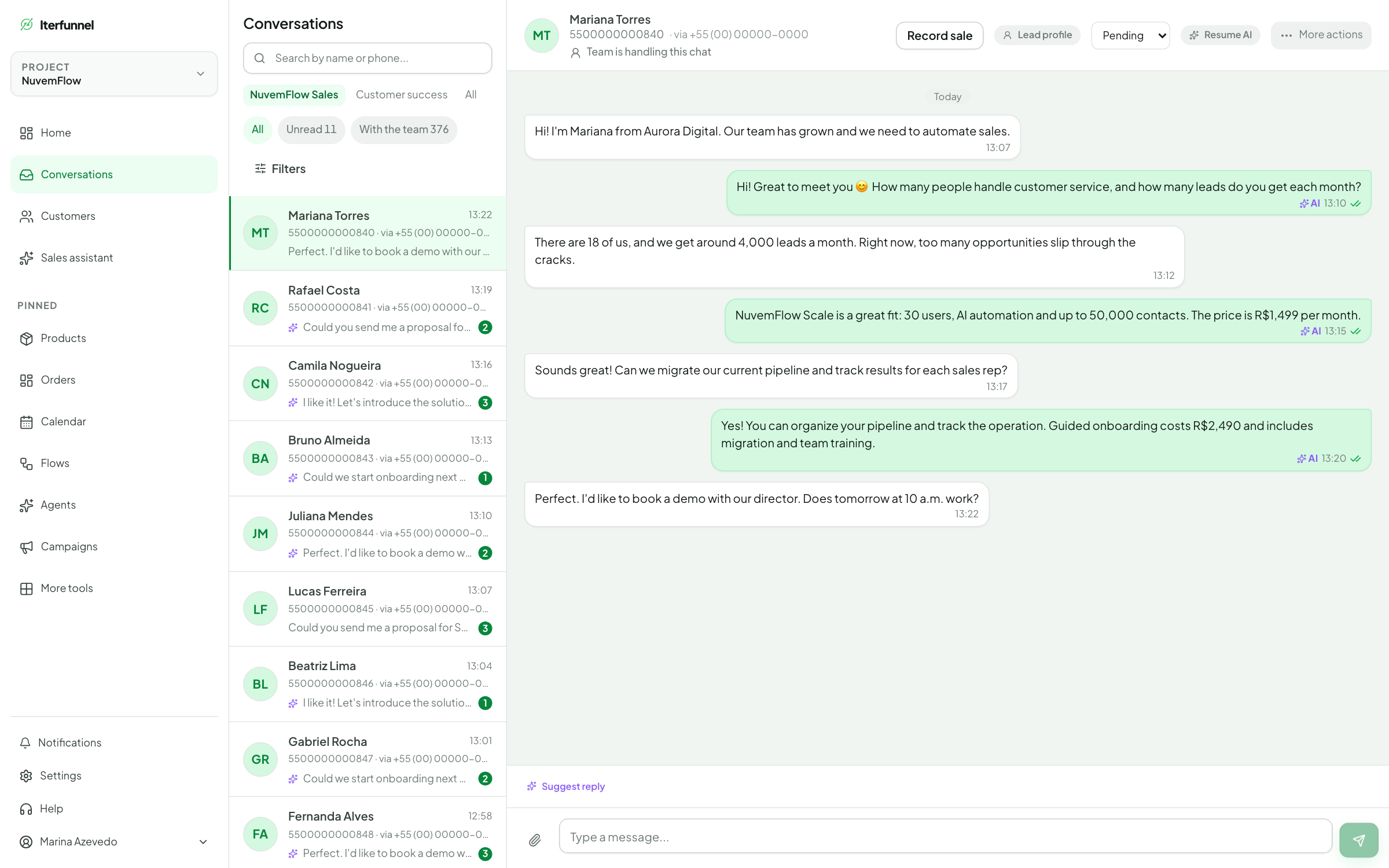
Use Iterfunnel's conversation history to recover a prospect's own words and the context behind each reply. Read contacts who declined the offer or went quiet as well; looking only at sales gives an incomplete picture. Record separately what the person stated, what you observed and what remains a hypothesis. An integration question establishes uncertainty, but it does not establish that the integration is the only obstacle to purchase. During review, look for unanswered questions, commitments without follow-up and explanations that caused confusion. Choose one passage to improve and preserve the context needed by whoever takes over the conversation. Do not copy personal data or confidential information into training examples. When evaluating the change, return to comparable conversations and check whether the question was resolved, alongside any progress toward a commercial decision.
Put this workflow into practice with the Iterfunnel free trial, using your plan and a real use case as a reference.
An ending that supports follow-up
Editorial example: “We covered creating and tracking proposals. We still need to confirm your spreadsheet import. I will check the format and send guidance; then you can evaluate a sample.” This creates a specific commitment. Asking only “what did you think?” may produce a compliment without clarifying the decision. Record the agreement so follow-up does not restart the whole presentation.
Turn the diagnosis into a next step in CRM
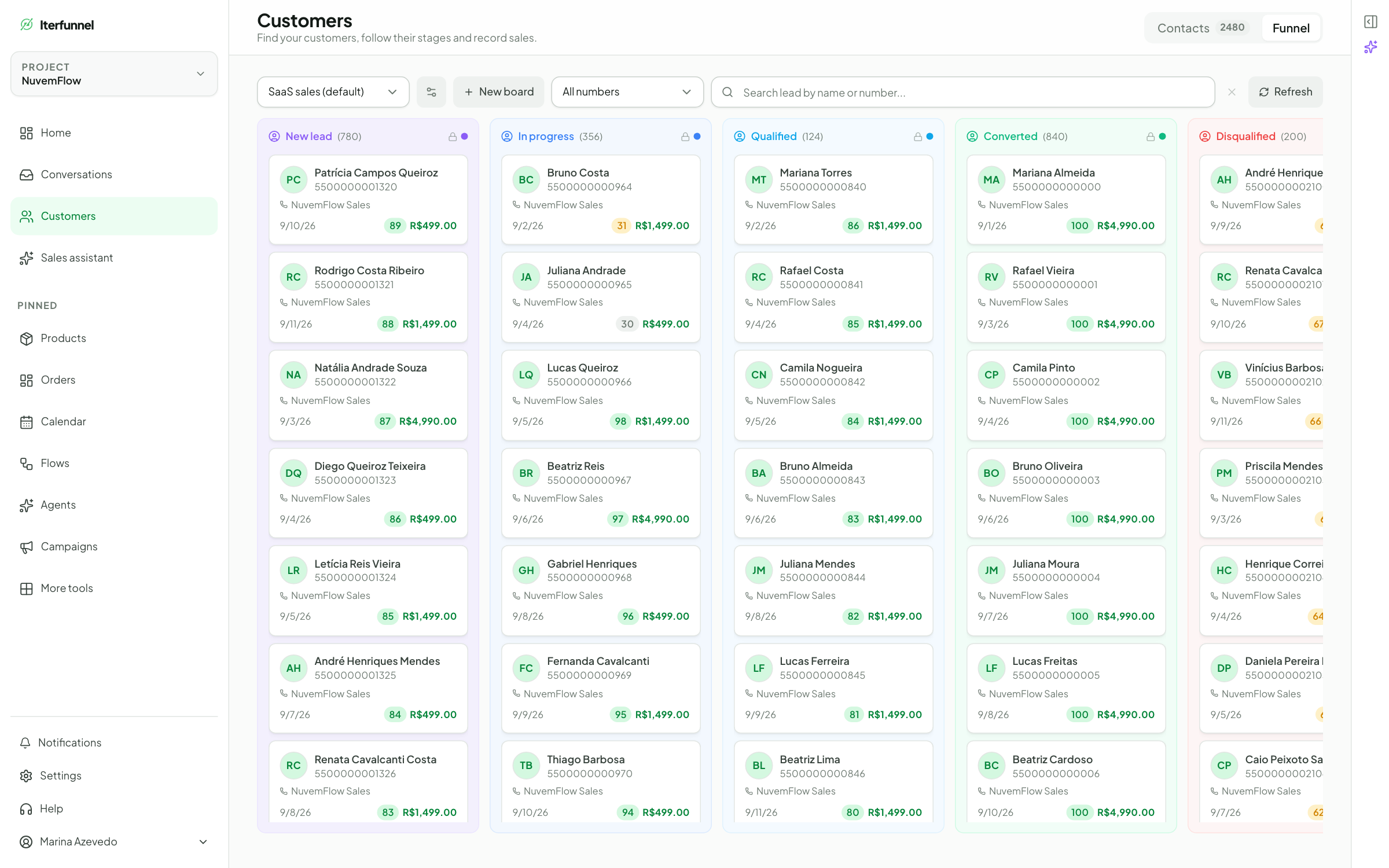
Iterfunnel CRM helps you see where each opportunity stands. Define criteria another person can verify: conversation started, need understood, demo agreed and decision pending, for example. A stage name should describe a commercial situation, rather than an impression of the lead's enthusiasm. Agree on who follows the opportunity and what needs to happen next. Review the history before moving a contact so that sending a link does not become a completed demo. Record a subscription after confirming it in the system responsible for billing. This discipline helps you find forgotten opportunities and discuss priorities using actual events. If a field or event you need is not available, keep a supporting record and validate the integration before relying on automation. The screenshot illustrates sales organization; it does not establish automatic synchronization with your software.
Use the free trial to review replies, organize opportunities and test sales follow-up before expanding your operation.
Frequently asked questions
How should I handle an unanswered question?
Acknowledge what needs checking, record the question and agree on a response with an owner. Do not invent a feature to keep the meeting moving.
What if the person misses the meeting?
Check whether they want to reschedule and offer a simple next step. Do not record a completed demo or assume permanent loss after one absence.
Does Iterfunnel replace my SaaS systems?
The platform organizes conversations, agents, flows and CRM. Software usage, billing and subscription management remain in your systems. Any automation relying on those records needs validated access and integration.
Sources and references
References support the points indicated; examples and workflows are editorial suggestions from Iterfunnel.
- Iterfunnel for software and SaaS — The platform’s own description of agents, flows, CRM, Copilot, AI Brain and the free trial. Scripts and calculations in this guide are editorial examples.