
AI Copilot for SaaS: briefing to workflow
Direct answer
Copilot helps create products, agents and flows through conversation. Supply a brief with plans, use cases, qualification questions and boundaries. Review the output and test conversation paths before using it with real prospects.
Asking “create my funnel” leaves essential decisions without context. A concrete request makes review more objective and easier to verify.
Prepare information before the request
Gather approved scope, intended audience, plan limits and trial or demo links. Explain which questions need a handover and who can decide exceptions. Separate facts from suggestions so an improvement idea does not become product information. Copilot prepares configuration; the team remains responsible for checking whether it suits the business. Keep the brief available so future adjustments can be compared with the original requirements.
A brief to copy and adapt
- “Register my plans with the limits and links I supplied.”
- “Create an agent to understand the task, explain scope and offer evaluation.”
- “Build a follow-up flow that stops on refusal and hands over technical questions.”
Organize the information behind the offer
Iterfunnel's Products area brings together information that helps explain an offer. For a SaaS business, prepare a record for each plan with its intended audience, available features, relevant limits and the correct next-step link. Separate the subscription from additional services such as implementation or training so that buyers understand what is included. Check the details with the product owner before using them in conversations. When pricing, scope or availability changes, review examples and agent instructions too. An old answer can remain convincing even after it stops being accurate. The catalog organizes commercial communication; it does not replace the system that calculates charges, applies discounts or manages subscriptions. For questions about special terms, identify who can confirm the proposal and what must be checked before replying. Keep that decision consistent across the team.
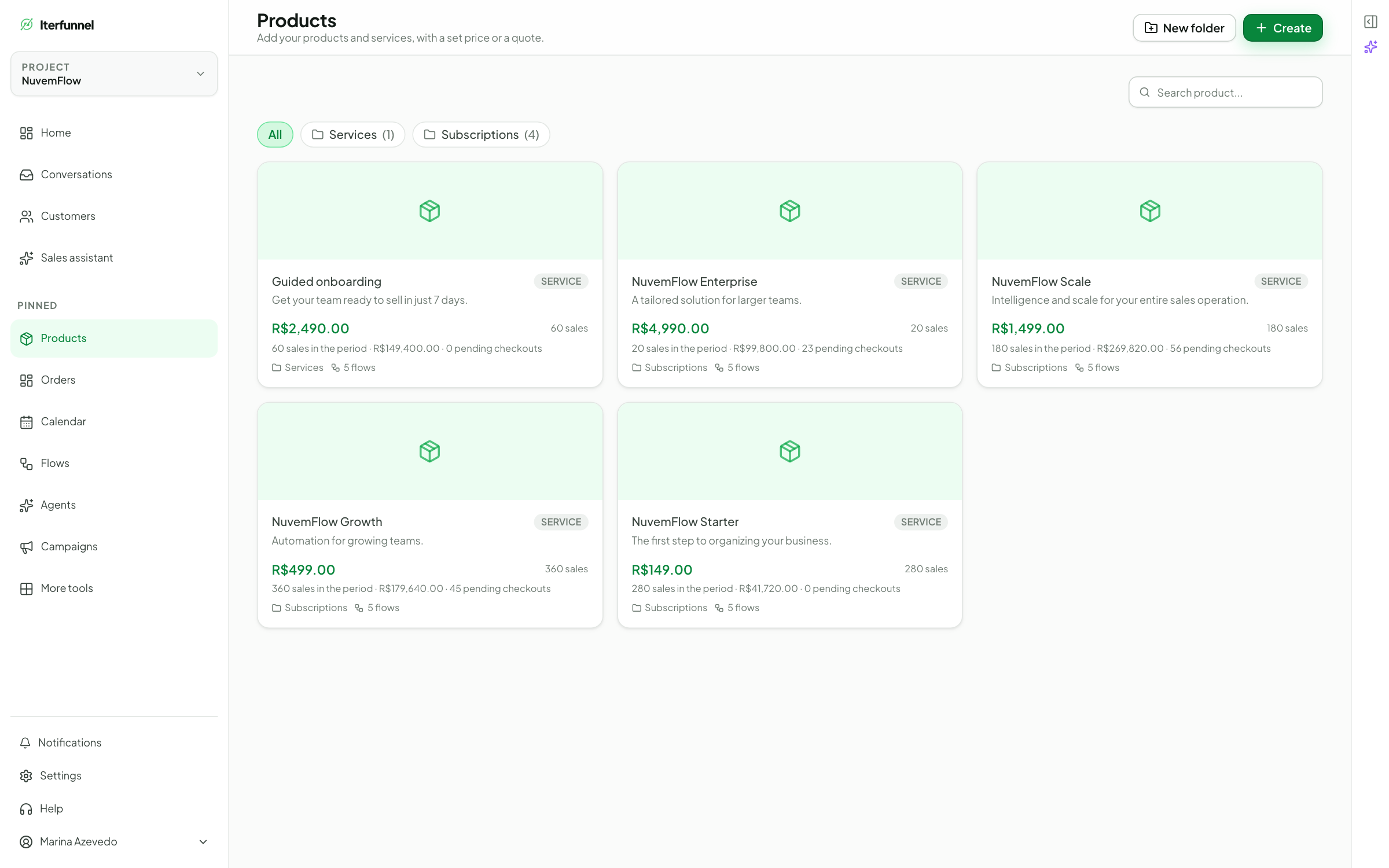
Put this workflow into practice with the Iterfunnel free trial, using your plan and a real use case as a reference.
How to review the output
Use a demonstration contact to request a plan, mention an unsupported requirement and ask for a person. Check whether the product matches the brief, the agent recognizes limits and the sequence responds as expected. If a behavior is wrong, adjust the instruction and repeat that path. Quickly created configuration still needs operational verification before being relied on by the team or presented to buyers.
Define follow-up and stopping conditions
Iterfunnel Flows help organize a conversation sequence. Map the entry, expected action, possible replies and the condition that ends each path before enabling it. A follow-up should offer help connected to the context, such as answering a question or recovering an agreed next step. Plan what happens when the contact replies, declines, requests a person or says the action is already complete. Review the configuration so that old messages do not continue after circumstances change. Conversation inactivity does not establish product abandonment, an expired trial or an outstanding payment. Those states need confirmation in the SaaS system or through a validated integration. Test every path with demonstration contacts and check the connected channel's conditions before using the sequence with customers. Record adjustments so that you can review the behavior later with the team.
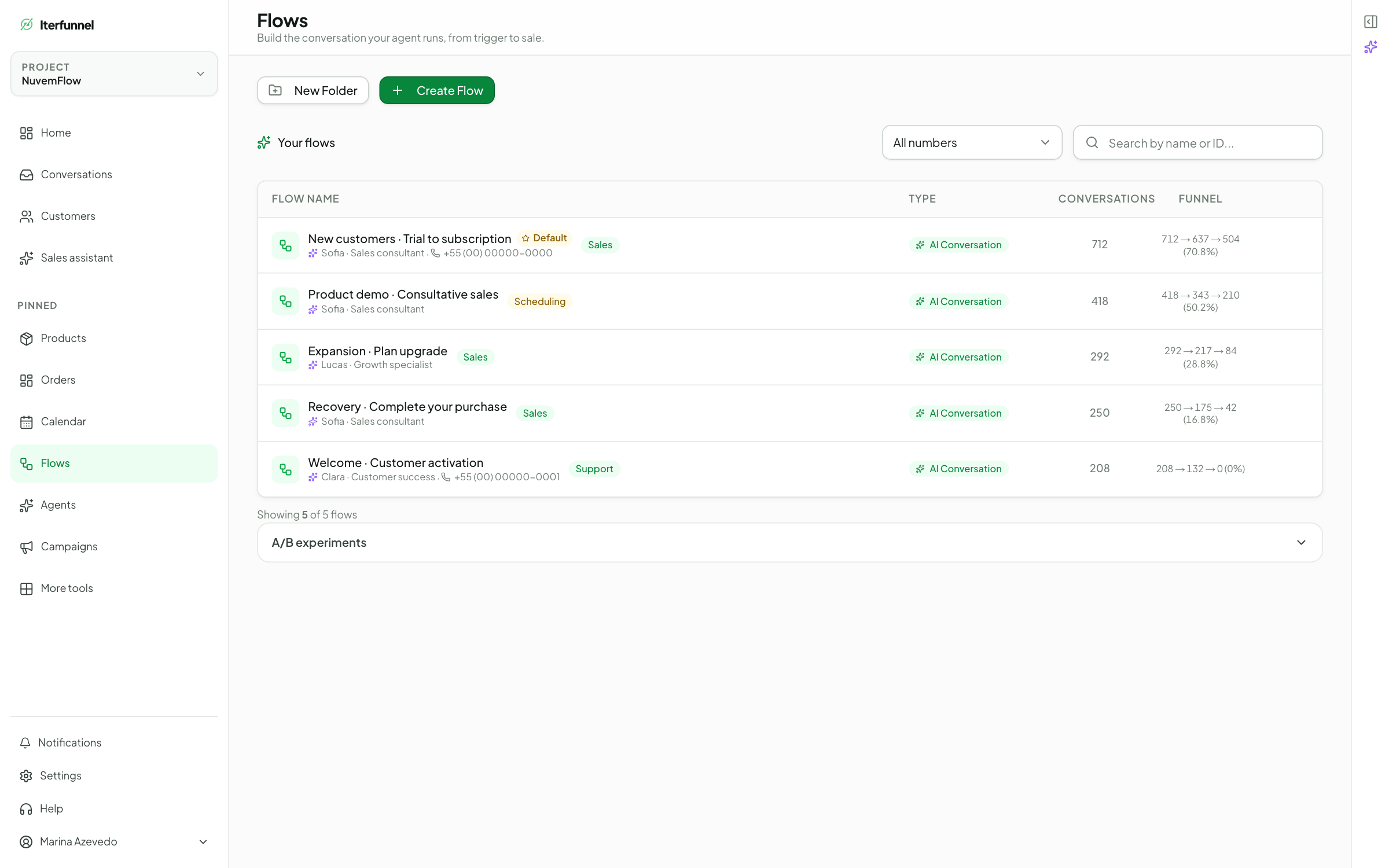
Use the free trial to review replies, organize opportunities and test sales follow-up before expanding your operation.
Frequently asked questions
Does Copilot also confirm payments?
Creating products and flows does not establish an integration with SaaS billing. Confirm payment in the responsible system before updating the opportunity.
Can I request changes through conversation?
Yes, Copilot supports adjustments within its documented creation scope. Review the result and retest the paths affected by the change.
Does Iterfunnel replace my SaaS systems?
The platform organizes conversations, agents, flows and CRM. Software usage, billing and subscription management remain in your systems. Any automation relying on those records needs validated access and integration.
Sources and references
References support the points indicated; examples and workflows are editorial suggestions from Iterfunnel.
- Iterfunnel for software and SaaS — The platform’s own description of agents, flows, CRM, Copilot, AI Brain and the free trial. Scripts and calculations in this guide are editorial examples.